Automate real PowerPoint with AI
Drive Microsoft PowerPoint with natural language from GitHub Copilot, Claude and any MCP client — slides, shapes, tables, charts, text formatting and export-to-verify visual checks on a live desktop instance.





Live COM automation, not file parsing
Most PowerPoint MCP servers manipulate .pptx files offline with libraries like python-pptx, or use agent-run scripts with LibreOffice-rendered thumbnails. This project instead drives a live, real PowerPoint desktop instance via Microsoft.Office.Interop.PowerPoint — the official Primary Interop Assembly.
- True-fidelity rendering. PowerPoint itself renders and saves the file, so there's zero risk of producing a
.pptxthat PowerPoint can't open. - Export-to-verify. After any visual edit, export the slide (or the whole deck) to an image with
export(action="export-slide-to-image", ...)/export(action="export-all-slides-to-images", ...)and let a vision-capable AI assistant see the result — catching overlapping shapes, text overflow, and layout regressions that text-only automation simply cannot detect.
Also automating spreadsheets?
Check out Excel MCP Server — the sister project, built the same way.
Also automating Windows apps and browsers?
Check out Windows MCP Server — automate Windows apps and browsers from your AI assistant.
PowerPoint MCP in 60 seconds
The video shows an AI request becoming a native, editable PowerPoint dashboard, then being exported and visually checked. English captions are available from the player controls.
Read the video transcript
PowerPoint is where ideas become decisions. PowerPoint MCP lets your AI work directly in the real desktop app, not through a file parser. Start with a simple request. Ask for an executive dashboard, a project update, or a complete presentation. Behind the scenes, MCP turns that intent into precise PowerPoint operations: creating slides, placing native shapes, formatting text, and building charts. The result is a real, editable deck, rendered by PowerPoint itself. The AI exports each slide, inspects the layout, and verifies the result. For scripts and coding agents, `pptcli` provides the same engine through a compact, token-efficient command line. Seventeen domains. Get started at powerpointmcpserver.dev.Key features
-
Slides & layouts
Add and delete slides, apply and inspect layouts, and query slide count for state discovery.
-
Shapes & text
Add rectangles and text boxes, position and resize shapes, set and read rich text with font size, bold and color.
-
Tables & charts
Build tables cell-by-cell and add charts with real data — then read the data back to verify.
-
Speaker notes
Set and read presenter notes per slide for talk-track generation and review.
-
Images
Insert pictures from local files directly onto any slide.
-
Templates & themes
Apply a
.potx/.pptxtemplate's masters, theme and layouts while preserving existing slide content, and read back the current theme name. -
Slide masters
Set title/body placeholder fonts and background color on the slide master — one edit, applied to every slide that inherits it.
-
Animations & transitions
Add entrance/emphasis/exit effects to shapes and set slide transitions, then read them back to verify.
-
Export-to-verify
Export any slide — or the whole deck — to images for multimodal visual verification. The project's core differentiator over text-only PowerPoint tooling.
See all 17 tools (205 operations) across 17 domains
See it in action
Ask your AI assistant in plain language — it drives PowerPoint for you:
📝 Build a deck from scratch
You: "Create a new presentation with a title slide and three content slides about our Q3 results, then export it as images so I can see it."
AI creates the presentation, adds slides with headings and body text, and exports PNGs of every slide to verify the result.
📊 Tables & charts
You: "Add a 4x3 table summarizing this data, then add a bar chart next to it."
AI builds the table cell-by-cell and adds a chart shape with the given data, then exports the slide to confirm the layout looks right.
🎨 Formatting & shapes
You: "Make the title bold and blue, and move the logo to the top-right corner."
AI applies text formatting through the TextFrame tools and repositions the shape, then exports an image to verify nothing overlaps.
🗣️ Speaker notes
You: "Write speaker notes for each slide summarizing the key talking point."
AI reads each slide's content and writes tailored notes via notes(action="set-notes-text", ...).
🖼️ Visual verification
You: "Export slide 3 as an image and tell me if the chart overlaps the text box."
AI exports the slide with export(action="export-slide-to-image", ...) and inspects the rendered PNG directly — catching issues no text-only tool could see.
CLI or MCP Server?
This project provides both a CLI and an MCP Server interface. Choose based on your use case:
| Interface | Best for | Why |
|---|---|---|
CLI (pptcli) | Coding agents (Copilot, Cursor, Windsurf) | Single tool, no large schemas — better for cost-sensitive, high-throughput automation. |
MCP Server (mcp-powerpoint) | Conversational AI (Claude Desktop, VS Code Chat) | Rich tool discovery, persistent session. Better for interactive, exploratory workflows. |
GitHub star history
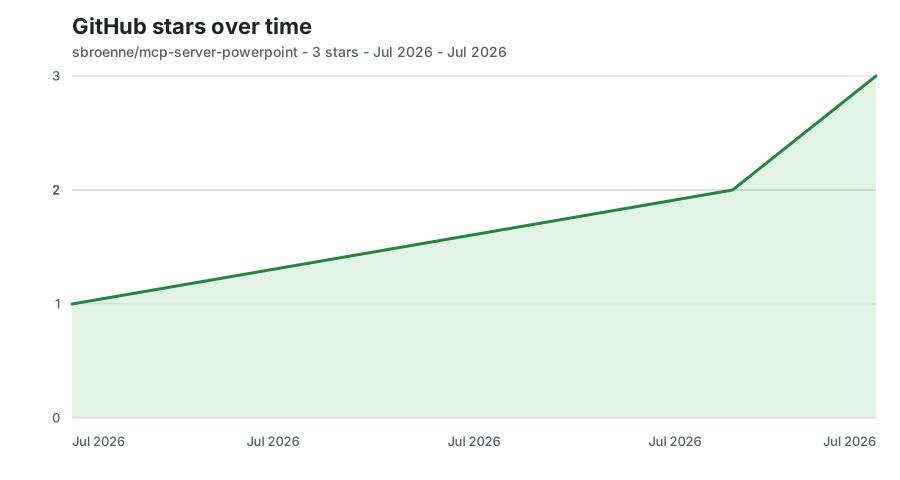
Bootstrapped from exact authenticated stargazer timestamps, then updated daily from GitHub's exact public star count. Only date/count aggregates are retained.