World Bank Briefing: Excel to PowerPoint
One plain-English request to an AI agent produced a checked Excel analysis and a seven-slide executive briefing. The agent researched public World Bank data with Excel MCP Server, then used PowerPoint MCP Server to build the presentation in the real desktop app. Nobody edited Excel or PowerPoint by hand during the recorded run.
Watch the video
Agentic Workflow: One AI Agent Turns World Bank Data into Excel and PowerPoint shows the recorded workflow using GitHub Copilot CLI with Claude Opus 5.5.
Watch on YouTube (2:41), with English captions.
Get the files
Download the PowerPoint briefing Download the Excel workbook
Both downloads are hosted by our sister project, Excel MCP Server. They are the files the agent saved, with personal author details removed from the file properties.
Inside the PowerPoint briefing
The deck covers income, economic shocks, life expectancy, and internet use across 25 economies from 2000 to 2024. Each slide has a headline stating an insight and speaker notes. The data slides include sources and the workbook cells behind the numbers.
The charts are native, editable PowerPoint charts, not screenshots. The agent exported each slide and checked it visually.
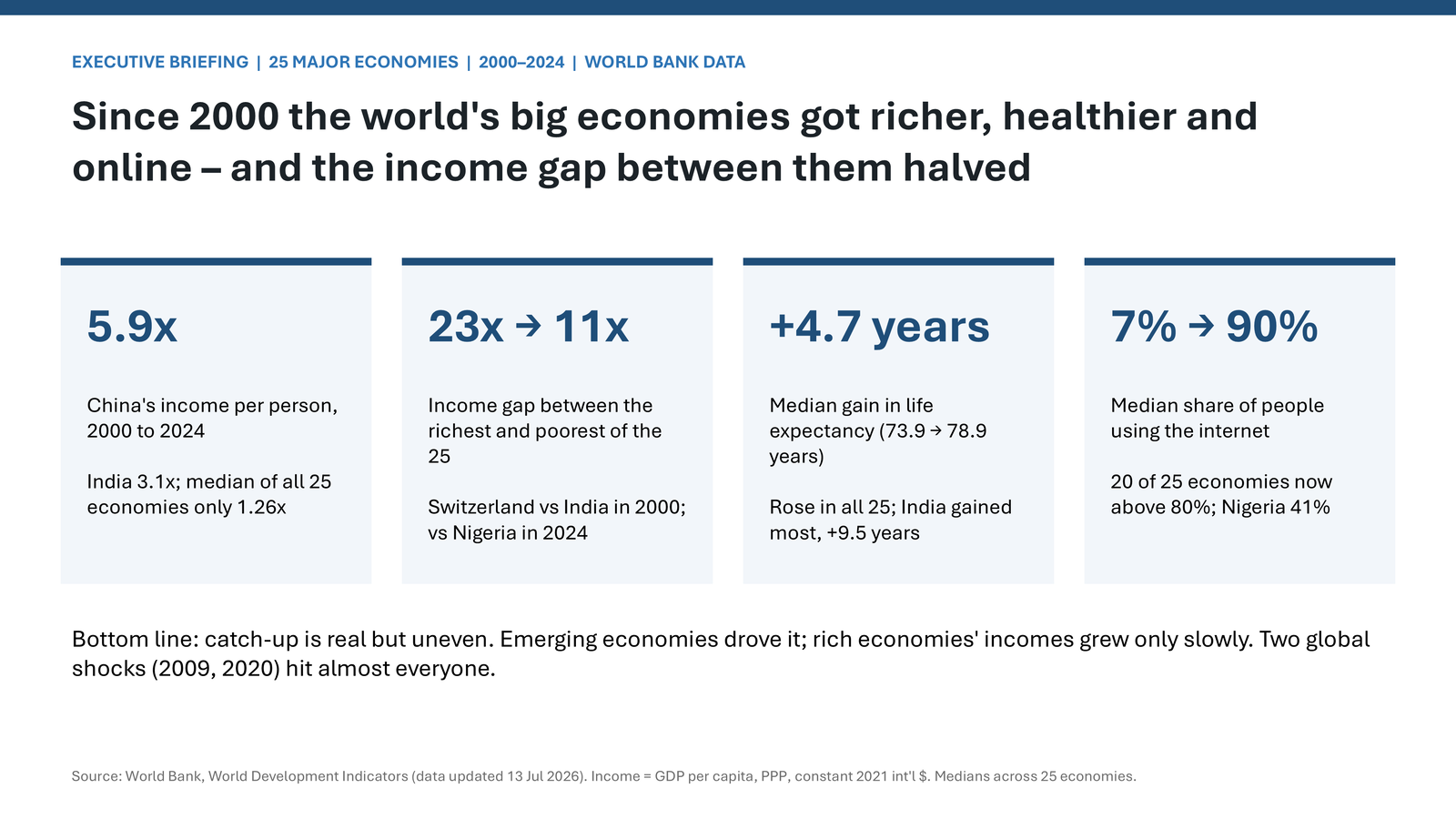
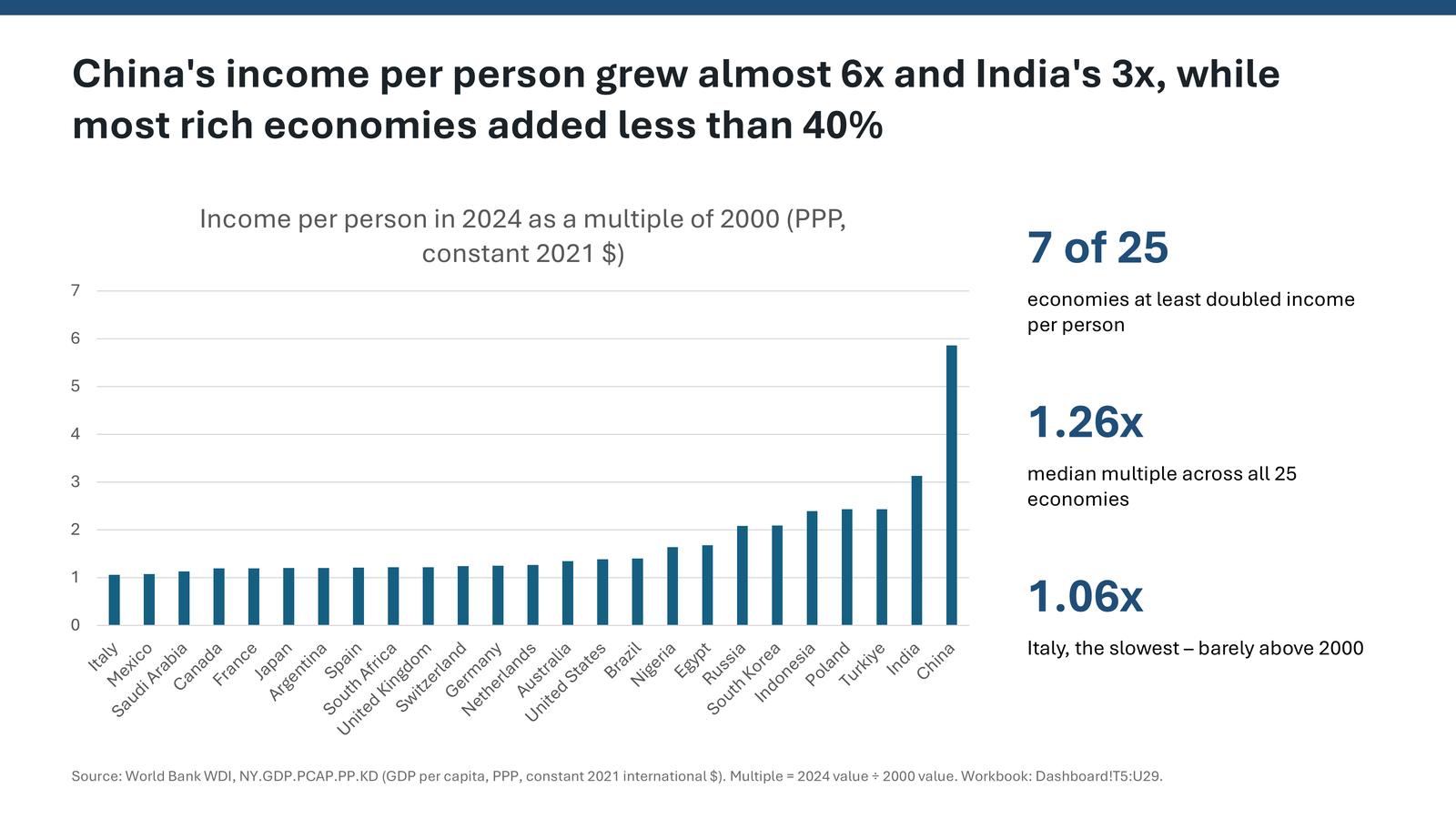
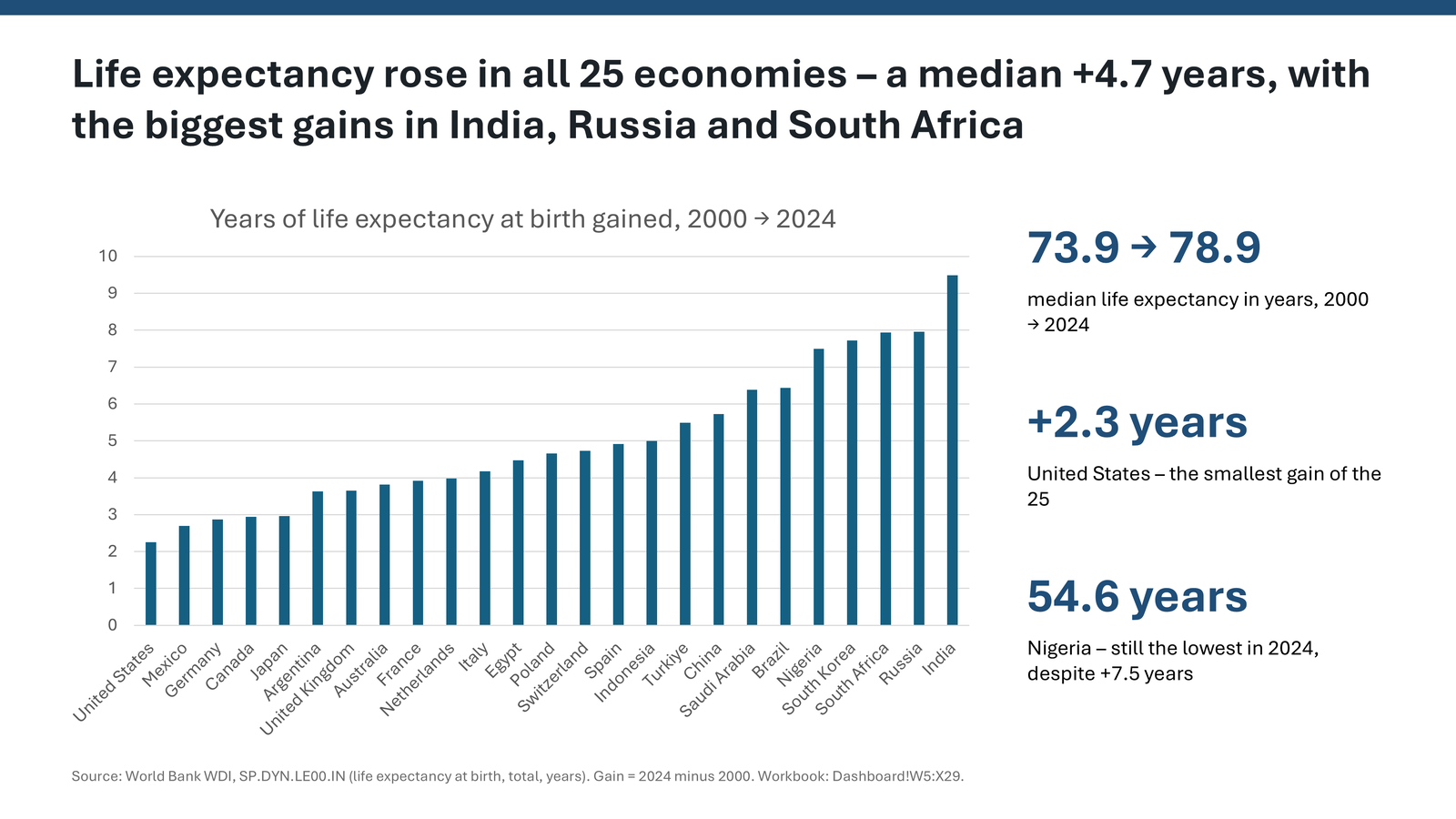
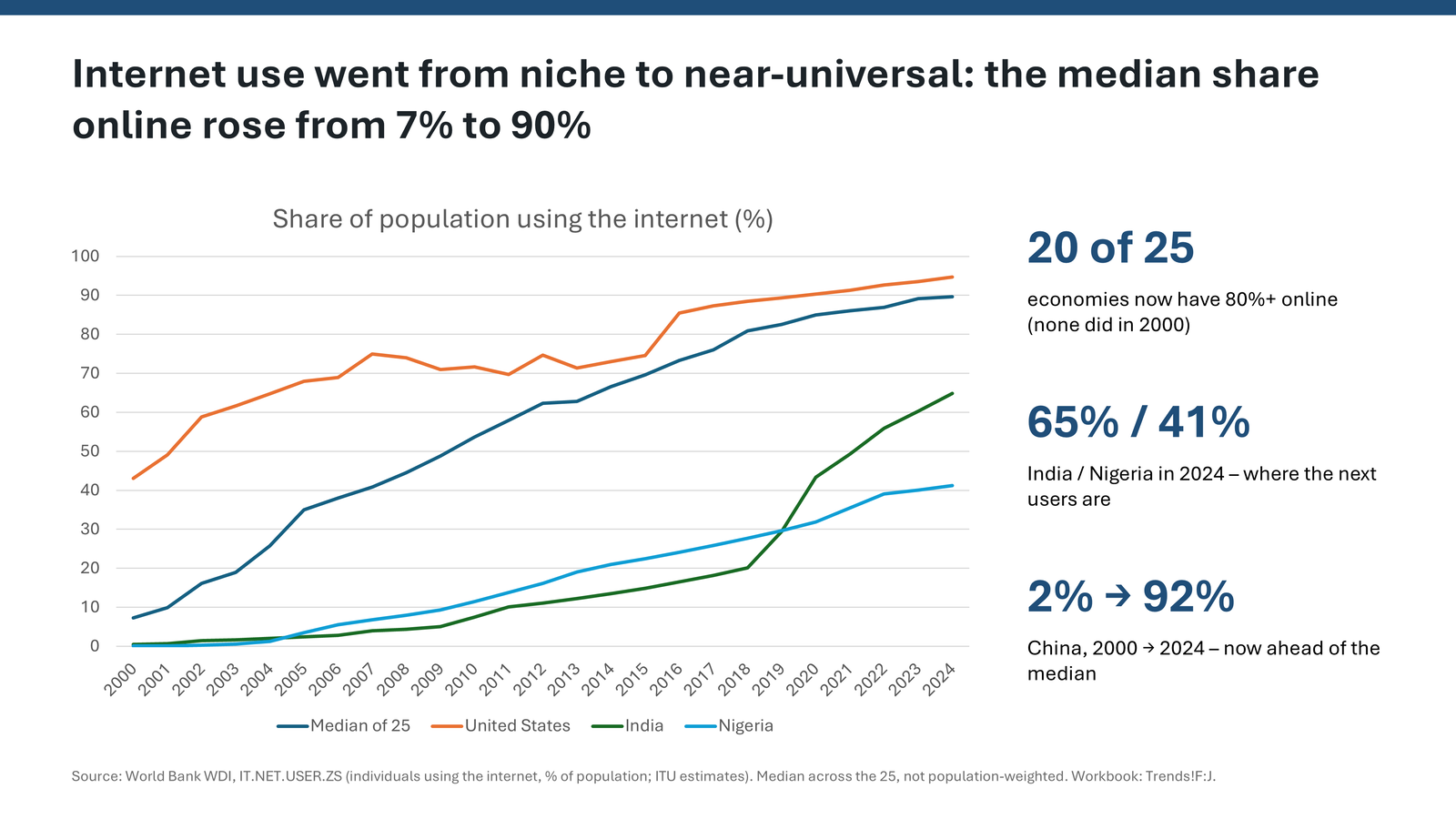
The poster and slide previews are reused from the original Excel-to-PowerPoint sample.
What the run shows
The complete run took 38.6 minutes, from one 112-word request with no follow-up messages. The video condenses that work into 2:41. The workbook's 19 checks passed, and the published sample documents an independent check of every headline number against the World Bank API.
The run also hit errors: a chart data window got stuck open and PowerPoint crashed, losing part of the deck. The agent reopened the presentation and rebuilt the lost content without help. This is evidence from one recorded run, not a promise that every request will succeed without intervention. Review an agent's work before relying on it.
Refreshing Excel does not update the deck
The chart numbers were copied from the workbook, not linked to it. Refreshing the workbook can change the data without changing the slides. Ask your agent to update the deck and export the slides for another visual check.
Read the full sample documentation for the exact prompt, measured effort, workbook contents, recovery details, and data limitations.
Try the workflow
Use Windows with desktop Excel and PowerPoint installed, and connect your AI assistant to both MCP servers:
Set up PowerPoint MCP Server Set up Excel MCP Server
Then ask your assistant, for example:
Open WDI_Development_2000-2024.xlsx with Excel MCP. Refresh the data and explain any failed checks. Then use PowerPoint MCP to update WDI_Briefing_2000-2024.pptx so the headlines and charts match the workbook. Export every slide and check the layout.
Sources and limitations
The sample uses World Bank World Development Indicators, licensed under CC BY 4.0. The World Bank has not endorsed this sample.
"Income" means GDP per person at purchasing-power parity, in constant 2021 international dollars, not salary. Medians cover the selected 25 economies, not the whole world, and are not weighted by population. Historical and provisional values may be revised. The slides describe changes, not their causes; see the original sample for the complete source notes and caveats.